What an AI PM OS Actually Feels Like to Use (And the Three Opinions That Built It)
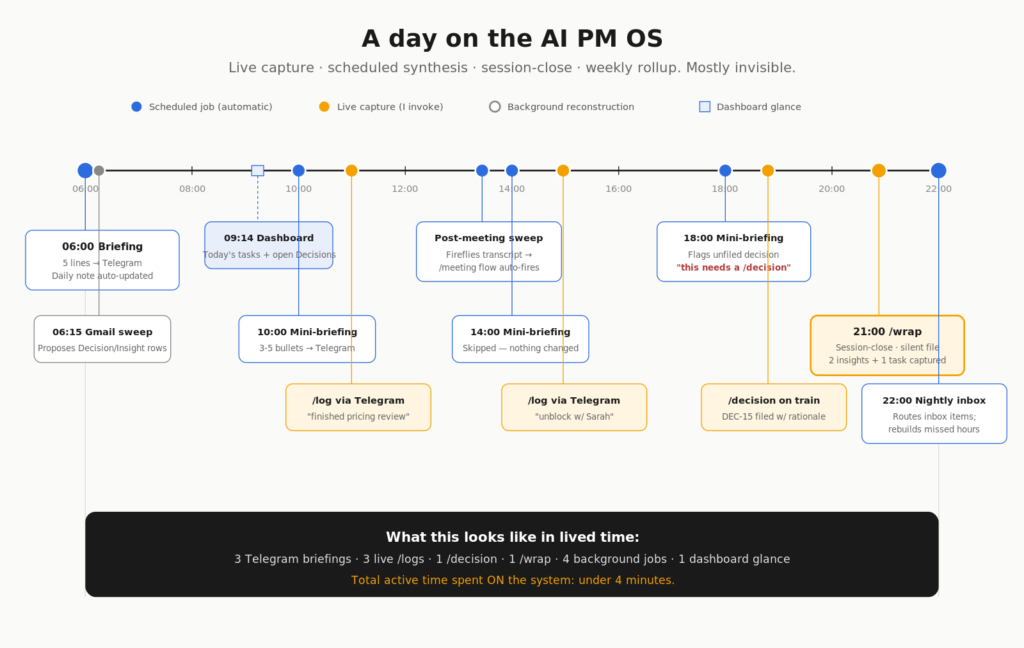
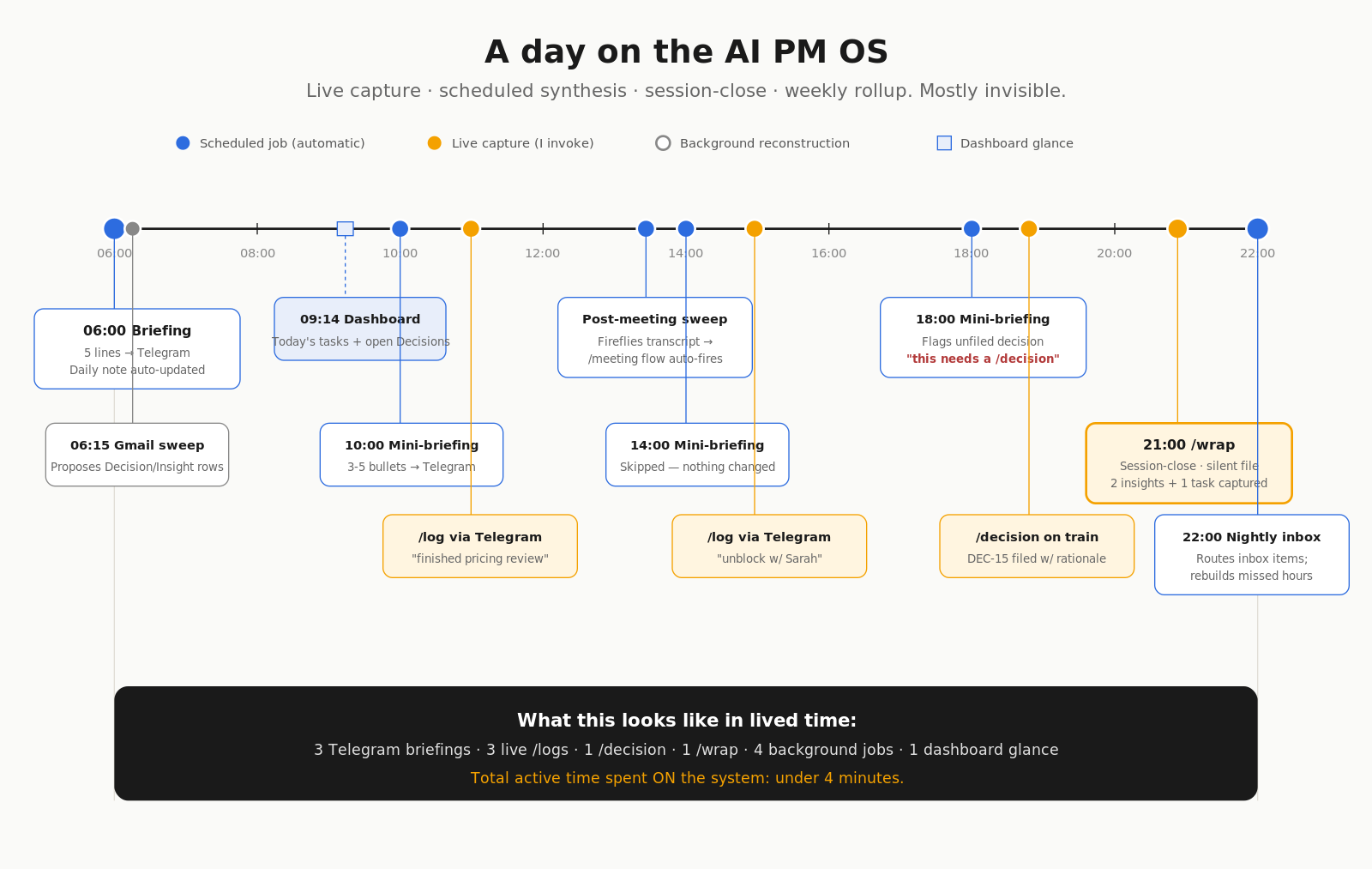
This morning at 06:00 my phone buzzed with a five-line briefing in Telegram. What I closed yesterday, three open Decisions, two emails that name a project, the first meeting today and what we left it at last time. I read it in the kitchen while the coffee brewed.
By 09:14 I’d glanced at the dashboard in Cowork — six cards, one chart, today’s tasks, the projects needing attention, the open questions still unresolved. By 14:00 I’d /log‘d three times from Telegram during work — “finished the pricing review,” “scoped the dashboard rebuild,” “30-min unblock with Sarah.” At 18:00 a mini-briefing flagged that one decision still hadn’t been filed; I /decision‘d it on the train. Tonight at 22:00 a nightly job will route my inbox and quietly reconstruct any hours I forgot to log.
This is the system I’ve been building for the past three weekends. I call it Samaritan, after the show’s antagonist AI — I’m a Person of Interest fan, and the name fits in the inverse: where the show’s Samaritan watched everyone without consent, this one watches one person on purpose, by request. Same total-context ambition, narrowed to a single user who asked for it. It’s an AI PM OS sitting on top of a second brain. I’ve published two deep-dive posts in the last few days — one on the architecture underneath, one on the operational layer. This post is what they look like in use, and the three opinions that shaped every design call.
If you only have five minutes, read this. If you want the full reasoning, follow the two links below.
The two deep reads
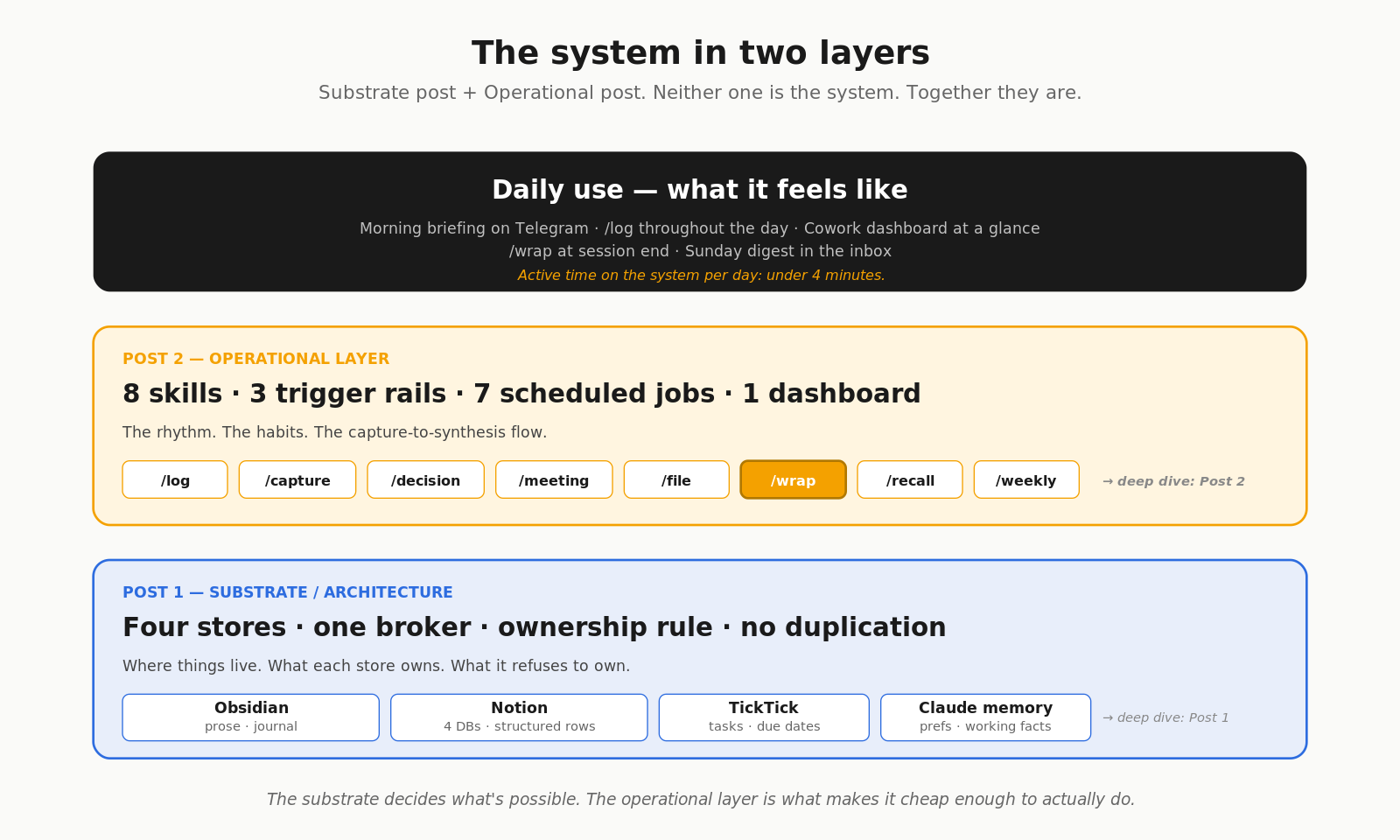
Post 1 — A PM Building a Second Brain: Why I Skipped the Vector DB and Picked Claude + Notion + Obsidian covers the substrate. The four-store ownership rule. The five architectures I considered and why I rejected the vector-DB default. The Notion schema. Why flat folders beat nested PARA when an AI is reading your vault.
Post 2 — An Easy-to-Build, Easy-to-Manage AI PM OS: 8 Skills, 3 Triggers, 7 Scheduled Jobs covers the operational layer. The eight slash commands. The trigger model that makes sure nothing falls through. /wrap and silent approval. /log from anywhere via Claude Code Channels. The Cowork dashboard.
The architecture is the substrate. The operational layer is the rhythm. Neither one is the system — the system is what the two of them produce together when used every day.
The three opinions that drove every decision
If I had to compress 8,000 words of build notes into the three calls that shaped everything, it would be these.
Structured retrieval beats semantic search when your data is structured. This is the one most people get wrong. The default 2026 advice for an AI second brain is “install a vector database.” For PM work, that’s the wrong tool. My retrieval targets are Decision DEC-12, Project Onboarding Redesign, Person Sarah at Acme — structured rows with relations. A Notion DB query is exact; semantic search is fuzzy. The infrastructure cost of running a vector DB is real and the marginal benefit for entity-heavy data is speculative. The full mechanism is in Post 1.
Friction-per-capture is the only metric that matters in the long run. Every PKM system dies the same way — capture friction goes up by ten seconds, adherence collapses, three weeks later the system is calcified. So I optimised relentlessly for the opposite. /log is one slash command. /capture doesn’t even try to route — it just dumps to today’s inbox and lets a nightly job classify. /wrap uses silent approval at session-end because per-item confirmation would kill the habit. The full reasoning is in Post 2.
Synthesis is where the value lives. Capture is just the input. The cron jobs are the most-underrated part of the system. Morning briefing, Gmail sweep, mini-briefings, post-meeting Fireflies sweep, nightly inbox processor, weekly rollup, monthly stale check. Without the scheduled synthesis layer, the system would be a glorified notes folder. With it, the same captured signal becomes a morning briefing, a mid-day nudge, a Sunday-evening digest. The system improves the system. Token cost: $2-3 a day.
These three opinions are the load-bearing ones. Everything else is implementation detail.
What changed in my actual work
Concrete before and after, four weeks in:
- I no longer have the same conversation twice in a week.
/recallfinds the prior version, cited to a row ID. - Decisions don’t get lost between sessions. Either I
/decision‘d it live, or/wrapcaught it at session end, or the nightly Gmail sweep proposed it from the thread. - I don’t open three tabs in the morning. The Cowork dashboard is one frame.
- I haven’t typed “remind me to” into TickTick manually in three weeks. The skills do it from chat.
- The hourly log fills itself out about 60% of the time. The other 40%, the nightly reconstruction proposes draft entries I approve in the morning. Net: a hourly log that’s actually complete, without the discipline I never quite had.
The thing I didn’t expect: I think more clearly because I have a queryable record. “What did we decide about pricing in March?” used to be a memory game. Now it’s /recall, with citations. The cognitive load saved on that one habit alone justifies the build.
What it costs
- Anthropic API usage: I’m on Claude Max, no marginal cost
- Notion: $10/month, would have it anyway
- TickTick: $3/month, would have it anyway
- Obsidian, Cowork plugin, Telegram bot: free
Marginal cost on top of subscriptions I already pay for: zero.
Time cost: each capture is 5-10 seconds. /wrap is 30 seconds at session end and saves me ten minutes the next morning. Net positive every day.
Where I am, honestly
Four weeks in. Not four years. The architecture and the skills are working. The seven scheduled jobs are specced in AGENT_OS.md but only two are wired up so far — the morning briefing and the weekly rollup. The Claude Code Channels Telegram bot is designed but not yet configured; /log from the desk works, /log from the phone is next.
The wiring is a weekend. The architecture is the part worth sharing now.
Credit
- Anthropic for Claude Code, Cowork, and Claude Code Channels — the substrate that made this buildable in weekends.
- TickTick, Notion, Obsidian — the apps doing the actual work. Claude is the broker. They do the heavy lifting.
- Tiago Forte for PARA. I depart on nested folders; the vocabulary is still his.
- Brian Petro for Smart Connections, and Khoj.dev for the self-hosted-AI-second-brain option I considered and rejected. Informed rejections are better than reflexive ones.
- The Claude Code + Obsidian writers on Medium and Substack — the running conversation that established this as a viable build path.
Reading order
If you’re new to all of this:
- Start here (this post) — what it feels like in use, the three opinions, what changed
- Architecture deep-dive (Post 1) — the substrate, the four-store rule, why I rejected vector DBs
- Operational deep-dive (Post 2) — the eight skills, the trigger model, the scheduled jobs
- Repo: github.com/devsandip/samaritan — plugin, contract, templates, dashboard, these posts as docs
If you’ve already built something in this space and it survived three months of real use, the question I keep coming back to: what kept yours alive? The fail mode of a personal knowledge system is silent — you stop using it, you don’t notice for a while, and you’re back to ChatGPT amnesia. I want to hear what held the line.